
Reference
Statuses and terms
Look up a status or term and find who needs to act next.
Questions people ask
Do patients see the same statuses?
No. Patients see simpler words. Pharmacy problems, for example, show to them as Processing.
Does Denied or Cancelled refund the patient?
No. Refund from Orders if one is due.
What's the difference between Purchase Complete and Delivered?
Delivered comes from the pharmacy's shipping updates. Purchase Complete closes orders with no pharmacy step, such as a payment request.
Where to find it
Read the status beside the record on Orders, Labs, Prescriptions, Visits, Subscriptions or Support, then use the matching table below.
Access: Client Admin and Client Staff. This reference has no separate app page.
What you can do here
- Read an order status
- Read a lab order status
- Read a prescription status
- Read a visit status
- Read a subscription status
- Read a support ticket status
- Match the words people use (script, pairing, sig, sandbox)
Who acts next names whose move it is. Provider network: message them on Messages or send a Support ticket to their card. Pharmacy: an OnlyScripts ticket. GEN Health: a GEN Health ticket.
Order statuses
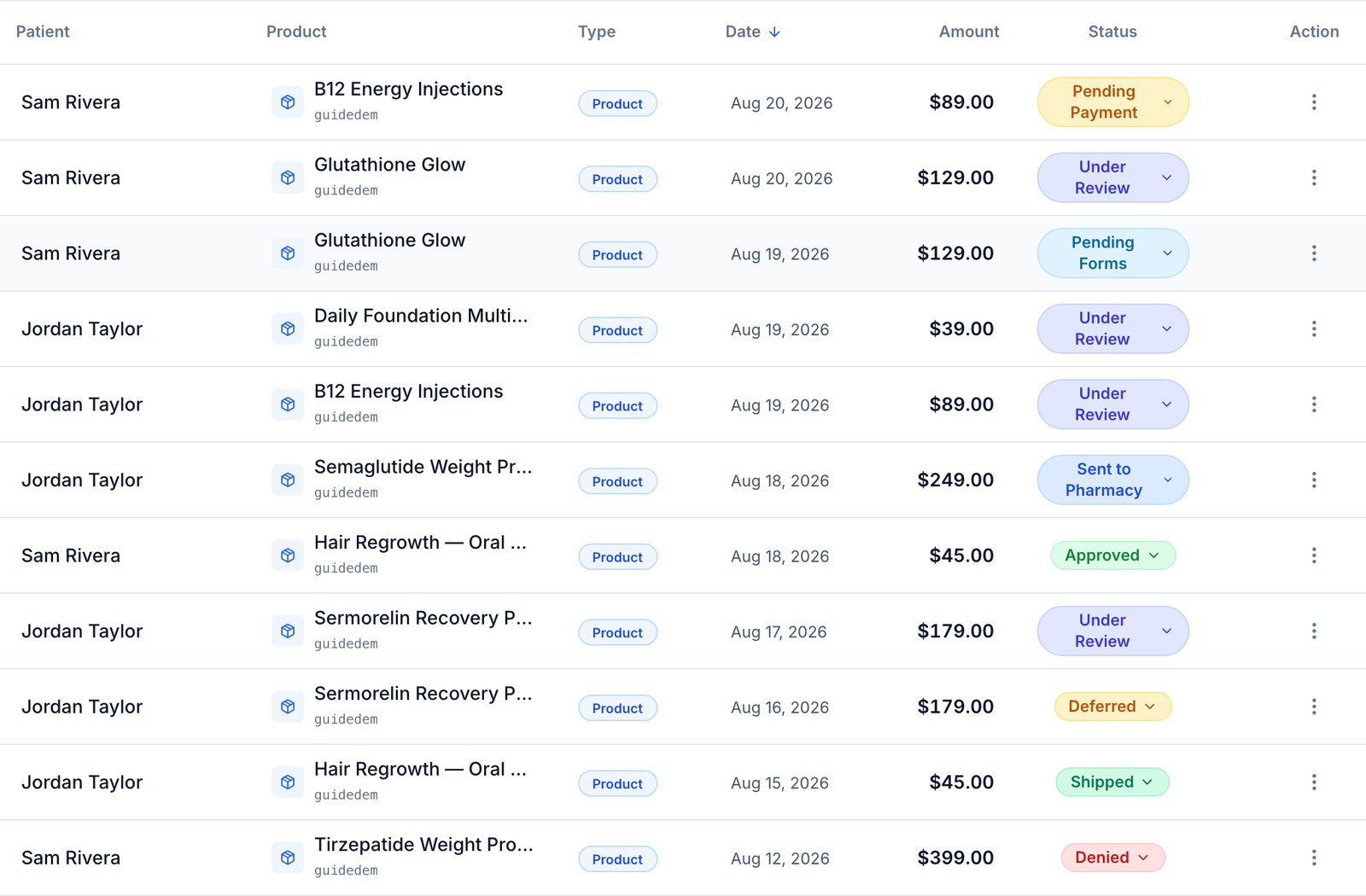
The status pill on Orders, on the patient's profile and in Order Details.
| Status | What it means | Who acts next |
|---|---|---|
| Pending Payment | Not paid yet. | Patient (remind them, or mark it paid) |
| Pending Labs | Waiting for the patient to buy or upload required labs. | Patient |
| Pending Forms | Paid; a required form isn't finished. | Patient |
| Pending Review | Forms are in; waiting for a provider to claim it. | Provider network |
| Under Review | A provider is reviewing it. | Provider network |
| Deferred | The provider needs more, often a video visit. | Provider network, then patient |
| Denied | The provider said no. Nothing is refunded automatically. | You (refund if due) |
| Approved | The provider said yes; the prescription is being written, queued or waiting for payment. | Provider network (see Prescriptions) |
| Pay for product | Assessment-first: approved, and the patient now pays for the product. | Patient |
| Sent to Pharmacy / Pending at Pharmacy / Processing | The pharmacy has it. | Pharmacy |
| Shipped / Delivered | As the pharmacy reports it. Some pharmacies never report delivery. | Carrier |
| Purchase Complete | Finished, for purchases that need no pharmacy step. | No one |
| On Hold | Your team paused it. | You (release the hold) |
| Pharmacy Order Failed / Error | The pharmacy step failed. | You or provider network (fix on Prescriptions) |
| Awaiting partner payment | An API order you collect payment for, not reported as paid yet. | Your system |
| Cancelled | Stopped. Cancelling never refunds. | No one |
| Refunded / Partially Refunded / Voided | Money returned, or the payment voided before it settled. | No one |
Your own labels (from Settings → Orders) can appear too; they only rename, they never ship or charge.
Lab order statuses
On lab orders on Orders and the patient's Labs.
| Status | What it means | Who acts next |
|---|---|---|
| Awaiting Lab Review | Held for your review before it goes to the lab. | Client Admin (Review lab) |
| Pending with a held-fee note | Paid, but held until your failed GEN Health fee is paid. | Client Admin (Settings → Account and billing) |
| Sent to Lab | The lab has the order; the patient goes for the draw. | Patient |
| Kit Ordered → Preparing Kit → Shipped to Patient → With Patient → Returning to Lab → Received at Lab | An at-home kit's journey. | Lab, carrier or patient |
| Partial Results / Results Ready / Results Received | Some or all results are back. | Provider network |
| Results Awaiting Review | Results the patient uploaded are waiting to be checked. | Your provider network |
Prescription statuses
On Prescriptions. A warning icon on a status means a problem: hover it for the cause and who can fix it.
| Status | What it means | Who acts next |
|---|---|---|
| Pending Approval | Your request waits for a provider. | Provider network |
| Queued for review / Queued | Written; waiting for the review window (2 hours by default). A linked order hold or required approval can keep it queued. | No one if only the timer remains. Before submission, use Void prescription only when offered. If already sent or acceptance is unclear, ask your network and the pharmacy or OnlyScripts to confirm any needed cancellation. |
| Awaiting patient payment | Waiting for patient payment. A linked order hold or required approval can still prevent submission. | Patient |
| Saved | Stored, not sent. | Provider network |
| Sent to pharmacy / Submitted to pharmacy / Received / Pending / Processing | At the pharmacy. | Pharmacy |
| On Hold / Action Required / Need Clarification | The pharmacy needs an answer. | Provider network or you |
| Failed / API Submission Failed / Error | A submission or pharmacy step failed. The label alone does not prove whether the pharmacy accepted it. | For a submission failure, use Retry submission only when Submission stuck offers it. Otherwise ask your network to review the failure. |
| Payment Failed | The pharmacy charge failed. Keep payment recovery on the existing prescription. | Resolve any medication, quantity or directions dispute with the prescribing Provider and pharmacy before updating payment or retrying the charge. Client Admin: use the prescription’s payment alert when offered. If the arrangement is unclear, ask OnlyScripts or your network. See pharmacy payment recovery. |
| Cancellation Requested | A cancel was asked for; the pharmacy is confirming. | Pharmacy |
| Shipped / Delivering / Delivered / Completed | As the pharmacy reports it. | Carrier |
| Cancelled / Cancelled by Admin / Voided | Stopped. | No one |
Visit statuses
On Visits → History and the patient's Visits. ASYNC visits are reviewed from forms; SYNC visits are video calls.
| Status | What it means | Who acts next |
|---|---|---|
| Pending Review | Created, not picked up yet. | Provider network |
| Under Review | A provider is on it. | Provider network |
| Pending Patient Scheduling | The patient must pick a time. | Patient |
| Confirmed | Booked for a date and time. | Patient and provider |
| In Progress / Completed | Happening now / finished. | No one |
| Reschedule required | The patient missed the call. | Patient |
| Waiting for provider | The provider didn't join. | Provider network |
| Cancelled / Voided | Called off, or marked a duplicate or mistake (kept for the record). | No one |
Subscription statuses
On Subscriptions.
| Status | What it means | Who acts next |
|---|---|---|
| Active | Renews on the Next event date. | No one |
| Payment due | A renewal waits for the patient to pay. | Patient |
| Payment failed | The saved card was declined; no automatic retry. | Patient |
| Payment method needed | No reusable card was saved at checkout. | Patient |
| Paused / Cancelled | No charges until resumed / ended for good. | Your team or patient |
Support ticket statuses
On Support.
| Status | What it means | Who acts next |
|---|---|---|
| Submitted / Processing | Sent / being worked on. | The recipient |
| Response Requested | They need your answer; it closes after three days without one. | You |
| Complete / Cancelled | Closed. | No one |
Words people use
| You may hear | In GEN Health |
|---|---|
| Script, Rx | Prescription, on Prescriptions. |
| Pairing, mapping, "mapped", "linked" | A pairing: your product linked to a pharmacy's medication on Formulary; shown as Paired formulary on Products. |
| Sig, directions, label instructions | Directions on the medication and the prescription. |
| Encounter, consult | A visit: ASYNC (forms reviewed) or SYNC (video call). |
| Product vs protocol vs formulary item | Product: what you sell. Protocol: your network's clinical rules behind it. Formulary item: the pharmacy's medication it's paired with. |
| The router, OS, the hub | OnlyScripts, which sends prescriptions to pharmacies (Integrations). |
| Sandbox | Sandbox mode: an account setting; nothing goes to pharmacies or labs. |
| Test mode, demo mode | Payment processor None: checkout takes no real payment. Separate from sandbox mode. |
| Portal | The patient portal: what patients see. Your side is the app you're reading this for. |
| Consult fee, assessment fee | Assessment price on a product. |
| Bundle, stack | Package on Products. |
| Refill vs subscription | Refill reminders only message the patient; a subscription charges on a schedule. |
| Hold vs cancel vs void | On Hold pauses; Cancelled stops without refunding; Voided marks a mistake or reverses an unsettled payment. |
| Deny vs defer | Denied: the provider said no. Deferred: the provider needs more first. |
| Magic link | A one-click sign-in link emailed to a patient. |
What can go wrong
| What you see | Why | Fix |
|---|---|---|
| Order says Approved, but nothing is at the pharmacy | The prescription is queued, waiting for payment, or not written yet. | Check its status on Prescriptions; message your network if it's missing. |
| Pending Forms, but the patient says they're done | Another required form, often the network's consent, is still open. | Open the order's History, then resend the form from the patient's profile. |
| Orders all say Under Review for days | Your network hasn't finished the reviews. | Message your provider network with the patients' names. |
| Shipped never becomes Delivered | Some pharmacies never report delivery. | Use the tracking link on the order. |
Related
Was this helpful?