
Build Intake Forms
Create the intake forms that collect what providers need for clinical decisions.
Intake forms collect the answers providers need to make a clinical decision. Good forms turn a slow back-and-forth into a review decided in minutes. Who can do this: Admins manage forms; Providers and Provider Delegates meet them in patient, visit, and review workflows — see Roles & Permissions.
Open FormsWhat Forms handles
Forms manages your network's clinical forms and their submissions. Create, duplicate, update, publish, archive, import, and associate forms from one place.
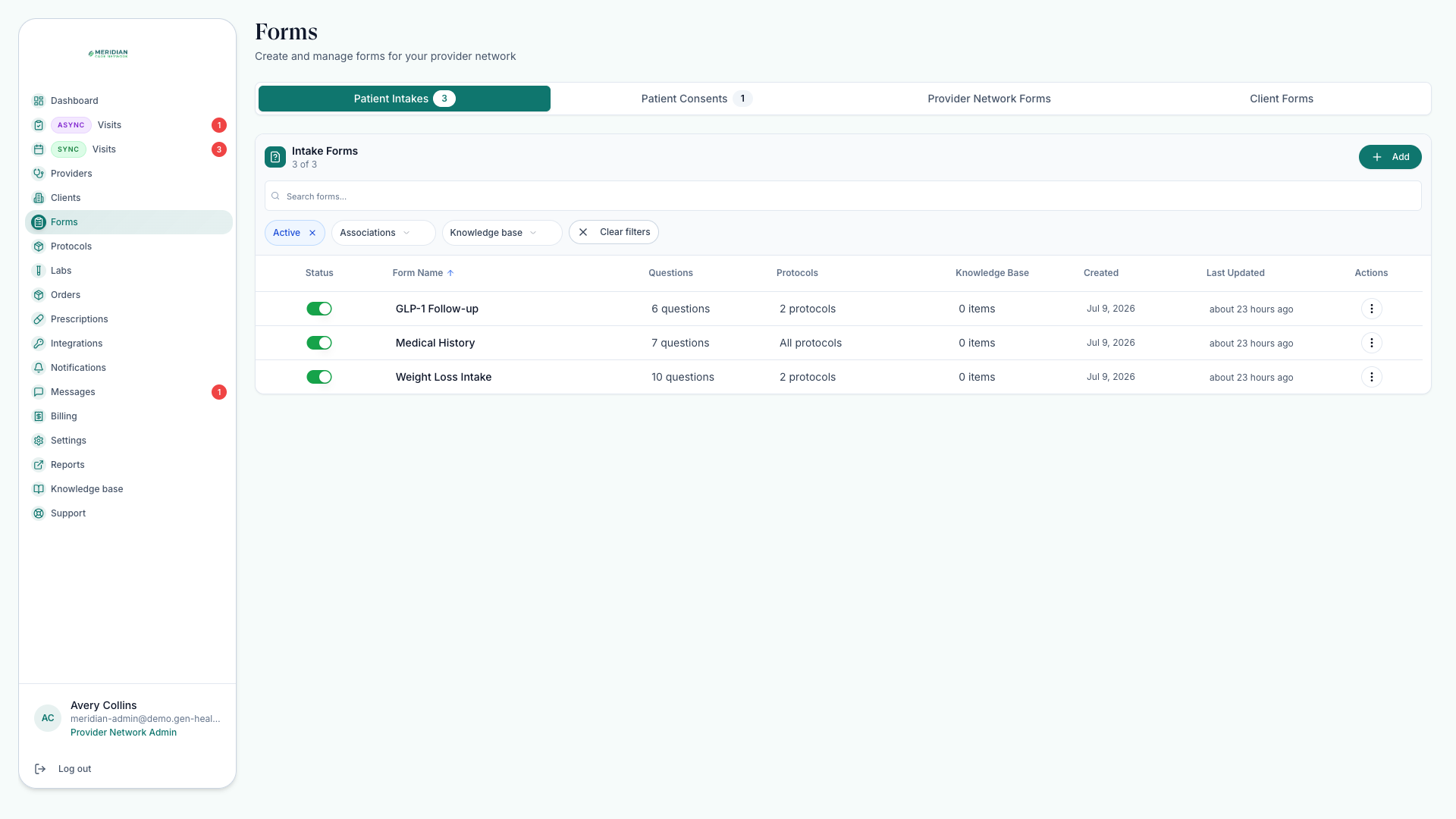
Build a form
Create or duplicate
Start from an existing form when the clinical structure is similar; build fresh when it isn't.
Write the questions
Use clear, patient-facing language. Collect the minimum needed for the clinical decision.
Associate the form
Attach it to protocols, visit requirements, or patient requests so it appears at the right moment.
Publish and test
Submit a test response. Confirm the review workflow receives the expected answers and attachments.
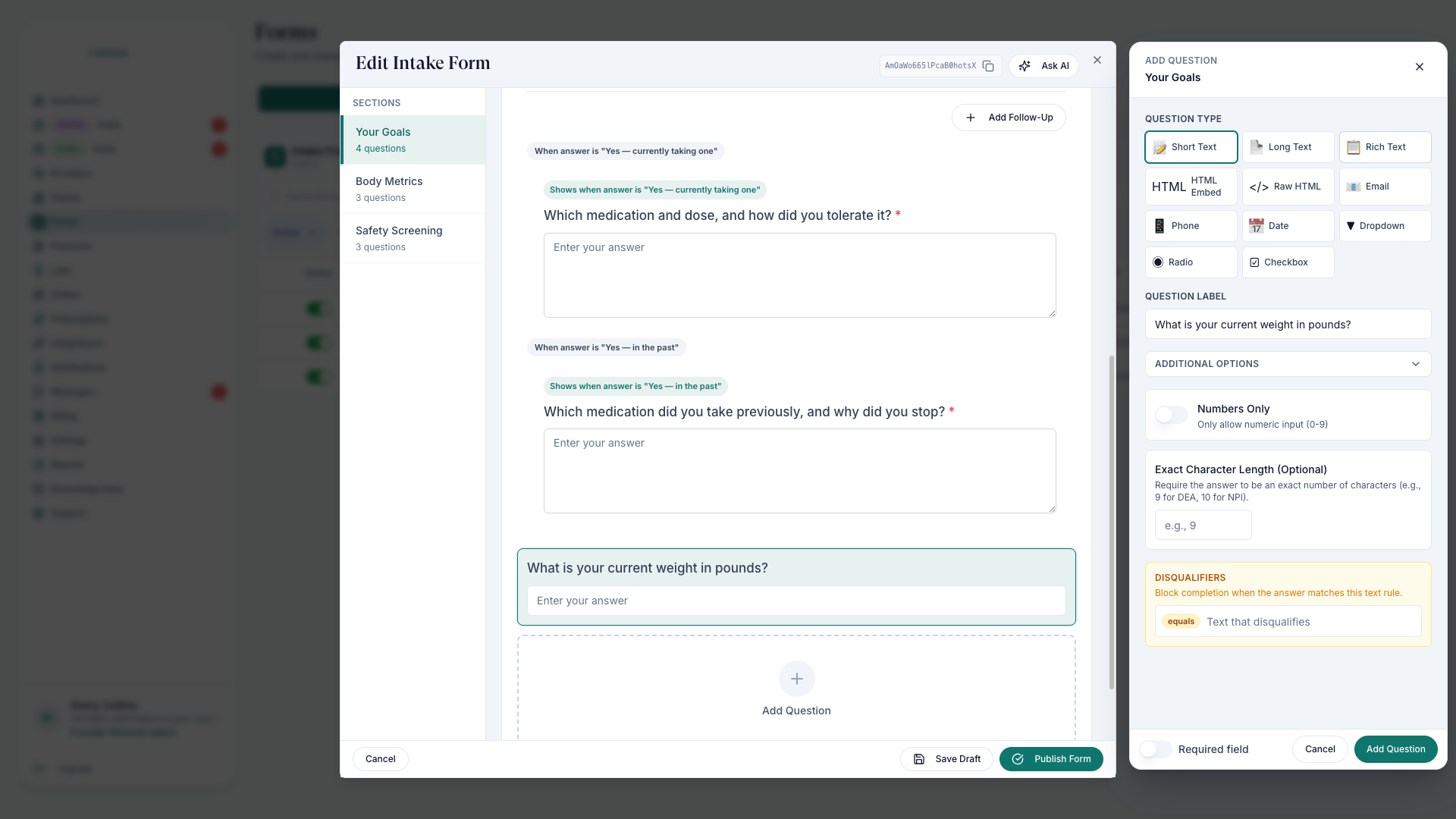
Before you publish
Every question is in plain, patient-facing language.
The form collects the minimum needed for the clinical decision.
The form is attached to the right protocols, visit requirements, or patient requests.
A test submission arrived in the review workflow with the expected answers and attachments.
After a patient submits
- The patient completes a required or requested form.
- The submission is saved to the patient's record.
- If review is required, the submission feeds a visit and chart review (a chart review happens from the chart, no live appointment).
- The provider reviews the intake, drafts or edits the SOAP note, and records a decision — see Complete Chart Reviews.
Keep reference files — clinical guidance, training, examples — in the Knowledge Base so form builders and reviewers share the same source material.
Was this helpful?