
Add Providers
Invite a provider and take them from first login to ready for clinical work.
Providers deliver the care your network exists for. This page takes each provider from invitation to ready for clinical work — order matters: credentials before clinical work, prescribing setup last. Who can do this: Admins invite providers — see Roles & Permissions.
Open Providers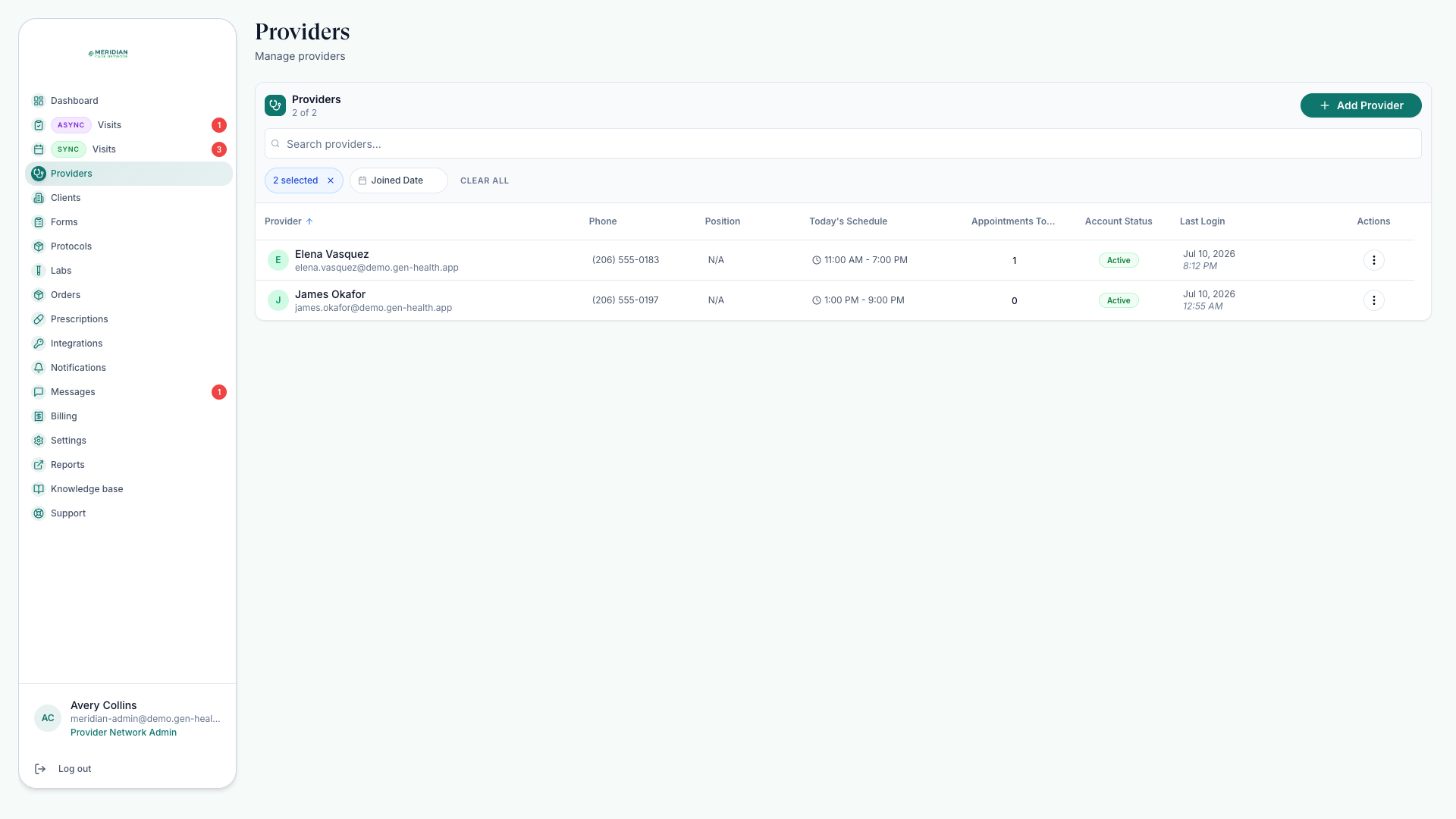
The Providers page
On Providers you create accounts, send sign-in links, review applications, check last login, manage capabilities, inspect availability, and follow credential and prescribing readiness.
Invite a provider
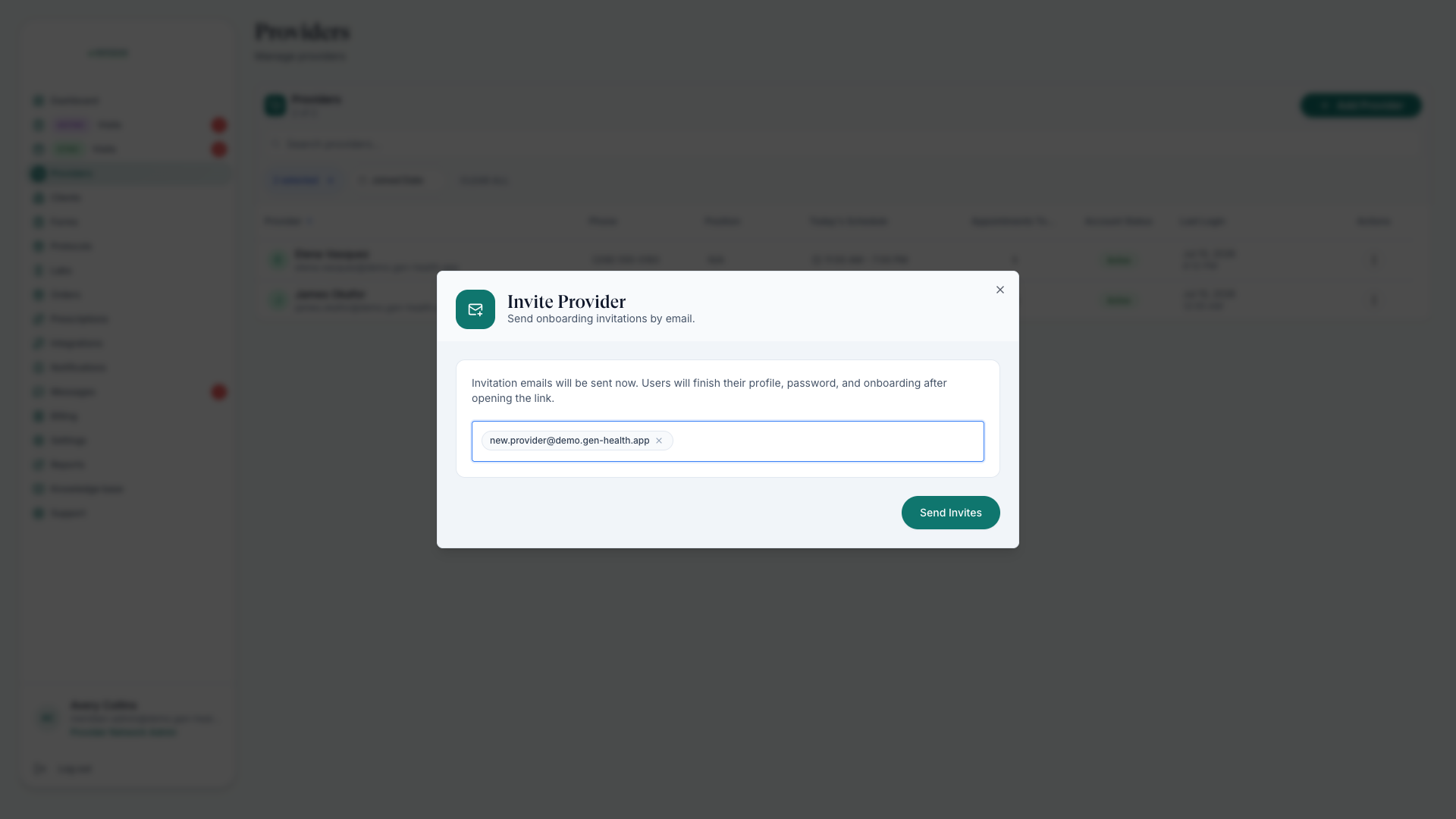
Create the account
Add the provider with the correct role and email. The secure setup link goes to that address — double-check it.
They complete account setup
They confirm identity, complete NPI verification, upload a government ID, add licenses where required, set engagement details, and sign agreements.
Review their credentials
Check NPI, identity, license, and application status before assigning clinical work. Credential Checks has the full checklist.
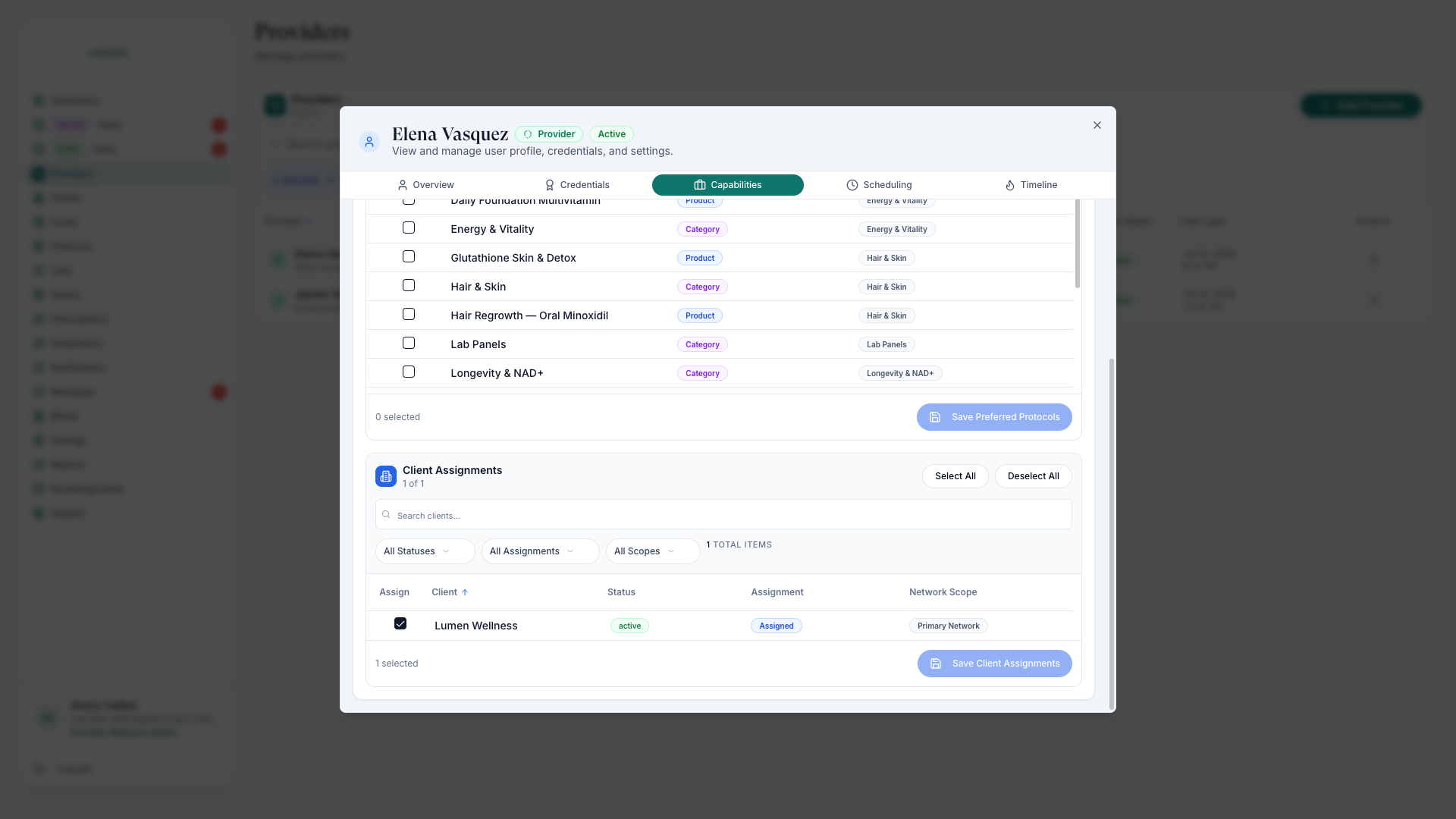
Configure capabilities
Open the profile's Capabilities tab to control protocol preferences and client visibility.
Finish prescribing setup last
Send ScriptSure invitations only when the provider is ready to prescribe — see ScriptSure Setup.
After the invite
- Watch application status and last login on the Providers list to spot stalled onboarding.
- Providers set their own availability for scheduled visits — see Set Availability.
- Adding coordinators instead of clinicians? See Delegate Accounts.
What capabilities control
The Capabilities tab decides what work reaches the provider: protocol preferences shape the care they're offered; client visibility controls which linked clients they serve. Pair it with client-side assignments — see Assign Providers — so scheduling and the review queue route correctly.
Don't assign clinical work until credentials check out — a provider's license states decide which patients they can serve.
Was this helpful?