
Marketing
Email or text all your providers, send a campaign to a client's patients, or turn on automated flows. Marketing has no menu item: open /marketing.
Marketing sends one-off emails or texts, and automated flows, to your own team or to a linked client's patients. It has no left-menu item: type /marketing after your app address (for example app.genhealthehr.com/marketing) and bookmark it. Provider Network Admin; Providers and Provider Delegates only when given access. Email works once your network's sending domain is active; texts need a phone number GEN Health sets up for you.
What you can do here
- Open Marketing and turn on sending
- Email or text all your providers
- Send a campaign to a client's patients
- Turn on an automated flow
- Let a provider send marketing
Open Marketing and turn on sending
Use this the first time. Until a channel is set up, the Channel choices are greyed out.
Go to the page
In your browser's address bar, add /marketing after your app address and press Enter. The page opens on Campaigns.
Turn on email
If a campaign shows Email stays off until a sending domain is verified in Settings., click Open settings. It opens Settings — Branding: set up Email Domain until it reads Active.
Turn on texts
Texts to your team use a phone number GEN Health provisions for your network. Ask for one in Support → GEN Health. Texts to a client's patients use that client's number.
You'll know it worked when the yellow banner is gone and you can pick Email, Text message or Email and text.
Who can do this: Provider Network Admin.
Email or text all your providers
Use this for news every provider must see, such as a new protocol or a schedule change. It's the only place that messages your whole team at once.
Start a campaign
Click New campaign and type a Campaign name (only your team sees it).
Write it
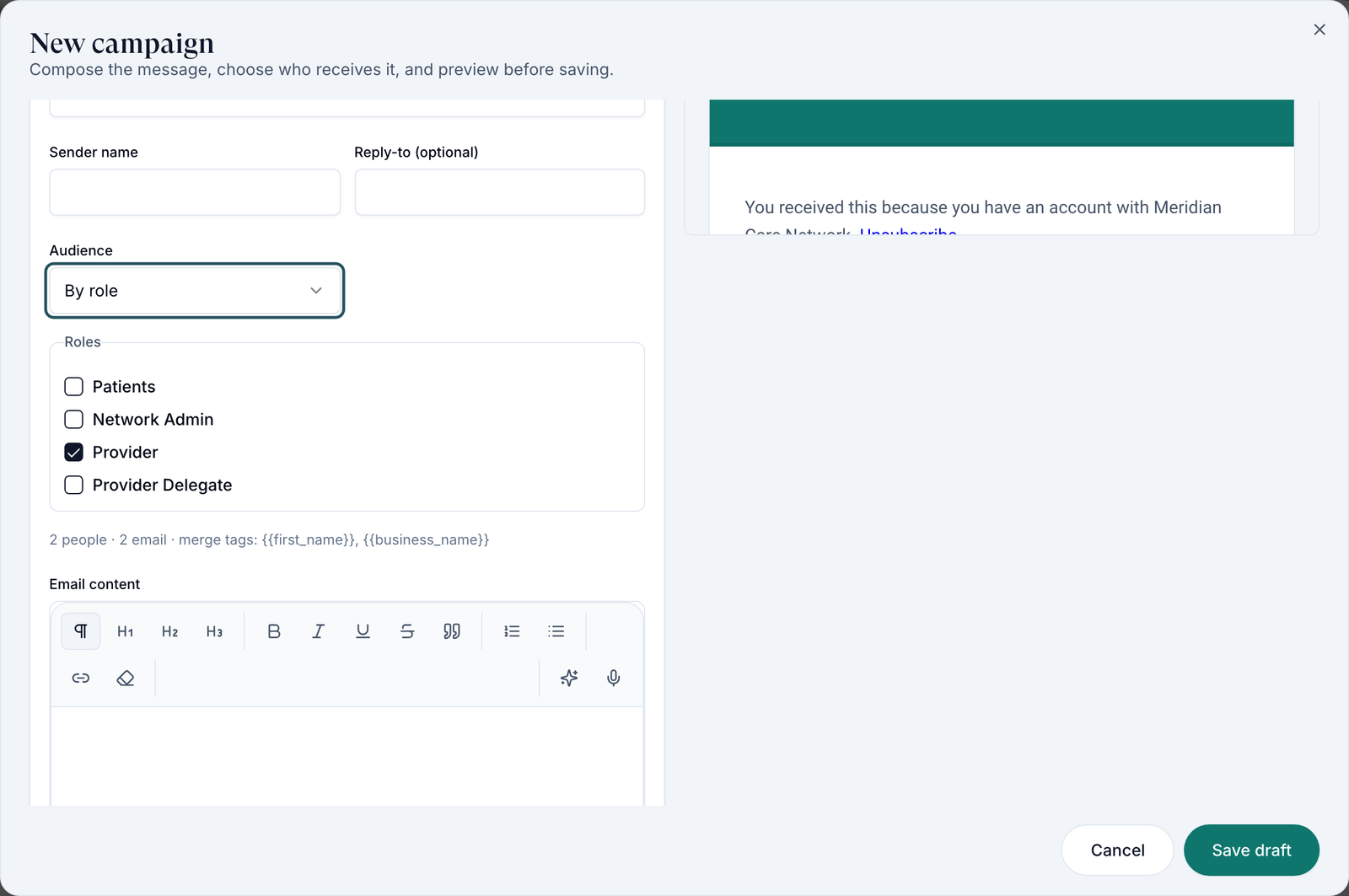
Choose the Channel. For email, fill Subject line, Sender name and the message; Write or rewrite drafts or rewrites text for you. {{first_name}} adds each person's first name.
Choose the audience
Set Audience to All staff (every admin, provider and delegate), or By role and tick Provider. Picked people lets you choose names.
Check and save
Read the Preview, then click Save draft.
Send
On the campaign's row menu, click Send. Send now, or set Schedule for (optional).
You'll know it worked when the row's status moves from Draft to Sending and Sent. Click the row to see each person's result.
Who can do this: Provider Network Admin, and Providers or delegates with access.
Send a campaign to a client's patients
Use this when a client asks your network to contact its patients.
Pick patients
In New campaign, set Audience to All patients or Everyone.
Pick the client
Choose the client in Linked client. Patient audiences never mix clients, so run one campaign per client.
Save and send
Click Save draft, then Send from the row menu.
You'll know it worked when the row reads Sent.
Who can do this: Provider Network Admin.
Turn on an automated flow
Use this for messages that should go out on their own, such as a note after a visit.
Start a flow
Open the Flows tab and click New flow.
Set the trigger
Fill Flow name and choose a Trigger: After a visit, Birthday, Missed appointment, Inactive client or New client welcome. Set the days where asked.
Write it and turn it on
Write the message, switch on Turn this flow on, and click Create flow. Left off, it saves as Paused.
You'll know it worked when the flow's row reads Active.
Who can do this: Provider Network Admin.
Let a provider send marketing
Use this when a lead provider or delegate handles team updates.
Open their profile
Left menu → Providers, click the person, stay on Overview.
Grant access
Under Access controls, tick Provider can send marketing.
You'll know it worked when they can open /marketing without Access denied.
Who can do this: Provider Network Admin.
Statuses you'll see here
| Status | What it means | Who acts next | What you do |
|---|---|---|---|
| Draft | Saved, not sent | You | Send or edit it |
| Scheduled | Waiting for its send time | GEN Health, automatically | Cancel schedule to stop it |
| Sending / Sent | Going out, or done | Nobody | Open the row for each person's result |
| Cancelled | A schedule was cancelled | You | Edit and send again, or delete |
| Active / Paused | A flow is sending, or not | You | Use the row menu to turn it on or pause it |
What can go wrong
| What you see | Why | Fix |
|---|---|---|
| You can't find Marketing in the menu | It has no menu item | Type /marketing after your app address and bookmark it. |
| Every Channel choice is greyed out | No active sending domain and no phone number yet | Set up Email Domain on Settings — Branding; ask GEN Health for a number. |
| Access denied with Ask an administrator for marketing access. | A provider or delegate without access | Tick Provider can send marketing on their profile. |
| No one currently matches this audience. | No Linked client chosen, or nobody has an email or phone for that channel | Pick the client, or change the channel or audience. |
Questions people ask
How do I send one message to all my providers?
A campaign to All staff, or By role → Provider. For something they must read before working, also make it required in Knowledge base.
Can I unsend a campaign?
No. You can only Cancel schedule before a scheduled campaign goes out.
Does it send from a GEN Health address?
No. Email always comes from your own verified domain, which is why email stays off until it's active.
Related
Was this helpful?